
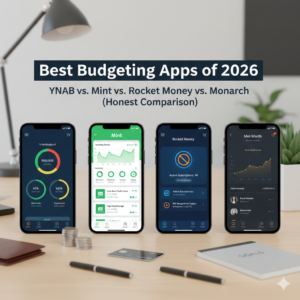
Budgeting apps have evolved past simple expense tracking into sophisticated financial management tools. The problem is they’ve also multiplied to the point where choosing one feels overwhelming. Four apps dominate the conversation in 2026, each with distinct philosophies about how budgeting should work.
The right choice depends less on which app has the most features and more on which approach matches how you think about money. Some people need strict envelope budgeting. Others want automated tracking with minimal input. Some are willing to pay for premium features. Others want free tools that do the basics well.
YNAB (You Need A Budget): The Zero-Based Philosophy
YNAB operates on a specific budgeting methodology that either clicks with you immediately or feels unnecessarily rigid. Every dollar gets assigned a job before you spend it. You’re budgeting money you actually have, not money you expect to earn. The app forces you to plan ahead and be intentional rather than reactive.
The interface has improved substantially over the years but still has a learning curve. New users often struggle for the first few weeks before the system makes sense. YNAB requires active participation – you can’t just connect accounts and let it run on autopilot. You need to categorize transactions, adjust budgets, and engage with the software regularly.
This active involvement is simultaneously YNAB’s biggest strength and its main weakness. People who commit to the methodology often see dramatic improvements in their finances. The company claims users save an average of $600 in their first two months, though that’s self-reported data from people motivated enough to use budgeting software. The app works because it changes behavior, not just tracks it.
The cost is $109 annually or $14.99 monthly. That’s expensive compared to free alternatives, which raises a legitimate question: should you pay for budgeting software when you’re trying to save money? YNAB’s argument is the subscription pays for itself if the methodology helps you find even $10 monthly in unnecessary spending. Fair point, but the price still feels steep for people just starting to get their finances organized.
Bank syncing works reliably with most major institutions, though some smaller credit unions have connection issues. Manual transaction entry is always an option, and some YNAB purists actually prefer it because entering transactions manually increases awareness of spending patterns.
The mobile app is solid for entering transactions on the go and checking budget categories before purchases. The desktop version offers more robust reporting and easier budget adjustments. Most serious YNAB users work primarily on desktop and use mobile for quick checks and transaction entry.
Mint: The Free Automation Champion
Mint pioneered free automated budgeting when it launched, and despite being acquired by Intuit years ago, it remains free. The business model is affiliate revenue – Mint shows you credit card offers, savings accounts, and investment products, earning commissions when users sign up.
The setup is straightforward. Connect your accounts, and Mint automatically categorizes transactions, tracks spending by category, and shows you trends over time. The automation is both its appeal and its limitation. You can get insights without much effort, but you also get less control and behavioral change than active systems like YNAB provide.
Mint’s budgeting is more passive. You set spending limits for categories, and the app alerts you when you’re approaching or exceeding them. This works fine for people who want visibility without intensive management. It’s less effective for people who need structure to control spending.
The interface has always been Mint’s weak point. It’s functional but cluttered, with ads and product recommendations competing for attention alongside your actual financial data. The mobile app is cleaner than the desktop version but still tries to do too much in limited space.
Transaction categorization is decent but imperfect. Mint learns over time, but you’ll still need to recategorize transactions regularly. Grocery store purchases get miscategorized as restaurants. Gas stations show up as convenience stores. Small annoyances that add up if you care about accuracy.
The free price point makes Mint an obvious starting place for people new to budgeting apps. If it meets your needs, great – you’re getting useful functionality at no cost. If you outgrow it or find the limitations frustrating, you can always upgrade to a paid service later without having lost anything but time.
Bank connectivity is generally reliable with major institutions. Smaller banks sometimes have issues, and some users report needing to re-authenticate connections more often than they’d like. Not deal-breaking but worth knowing.
Rocket Money: The Subscription Killer
Rocket Money (formerly Truebill) built its reputation on helping people find and cancel forgotten subscriptions. That core feature remains prominent, but the app has expanded into comprehensive budgeting, bill negotiation, and spending tracking.
The subscription finder genuinely helps. Connect your accounts, and Rocket Money identifies recurring charges. Seeing all your subscriptions listed in one place is eye-opening – most people discover they’re paying for services they forgot about or no longer use. The app lets you cancel subscriptions directly through the interface, which is more convenient than logging into each service separately.
Bill negotiation is the unique feature here. Rocket Money’s team will negotiate with cable companies, internet providers, and other services to lower your bills. They take a percentage of savings as their fee, so there’s no risk – you only pay if they actually save you money. Success rates vary by service and location, but many users report saving $20 to $50 monthly on bills they thought were fixed costs.
The budgeting functionality is simpler than YNAB but more active than Mint. You can set spending limits, track progress, and get alerts. It’s not revolutionary, but it works well enough for people who want basic budget tracking alongside the subscription and bill negotiation features.
Pricing is interesting. There’s a free tier with limited features. Premium access costs $6 to $12 monthly – you choose what to pay within that range, which feels gimmicky but does make the service accessible at different price points. Premium includes the bill negotiation service, custom categories, and detailed spending reports.
The value proposition works if you’re actually using the subscription management and bill negotiation features. For pure budgeting, there are better options. But if you genuinely have a subscription problem (and many people do) or high cable/internet bills worth negotiating, Rocket Money can pay for itself quickly.
Monarch: The Premium All-in-One
Monarch positions itself as the sophisticated option for people who want comprehensive financial management beyond basic budgeting. It combines budget tracking, investment monitoring, net worth calculation, and financial planning in one polished interface.
The design is genuinely beautiful. Clean, modern, intuitive – it feels like software built in 2026 rather than a legacy system with fresh paint. For people who care about user experience, Monarch delivers better aesthetics than any competitor.
Budgeting in Monarch is flexible. You can do zero-based budgeting like YNAB if you want that structure, or you can take a looser approach with spending targets and tracking. The app doesn’t force a specific methodology, which appeals to people who want tools without philosophy.
Investment tracking is where Monarch differentiates itself. Connect investment accounts, and you get portfolio views, asset allocation breakdowns, and performance tracking. The app aggregates everything into a comprehensive financial picture – not just where your money goes monthly but how your overall wealth is changing over time.
The collaborative features matter for couples or families managing finances together. Multiple users can access the same account with different permission levels. You can leave comments on transactions, share budget categories, and have financial discussions within the app context.
Net worth tracking feels more prominent in Monarch than in other apps. The dashboard emphasizes your overall financial position – assets minus liabilities – rather than focusing purely on monthly cash flow. This appeals to people thinking about wealth building, not just making it to the next paycheck.
The cost is $99 annually or $14.95 monthly. That’s premium pricing, though cheaper than YNAB while offering more features. Whether those extra features matter depends entirely on whether you’ll use them. If you just need basic budgeting, paying for investment tracking and net worth calculations you’ll ignore is wasteful.
Bank connectivity is excellent. Monarch syncs reliably with most financial institutions, and the team is responsive about adding support for banks that aren’t yet integrated. Transaction categorization is accurate, and the app learns your patterns quickly.
Customer support is notably better than competitors. Actual humans respond to questions relatively quickly, and the help documentation is comprehensive. For a premium-priced service, this level of support should be standard, but it still distinguishes Monarch from apps with minimal support infrastructure.
Making the Right Choice
The best budgeting app is the one you’ll actually use consistently. That sounds like a cop-out answer, but it’s true. A sophisticated app you abandon after two weeks is worse than a basic app you check daily.
YNAB works best for people who need structure and are willing to engage actively with their budget. If you’re the type who wants to plan every dollar and feels good about that level of control, YNAB’s methodology will click. If that sounds exhausting, look elsewhere.
Mint suits people who want passive tracking without effort or cost. If you just need to see where your money goes without intensive management, and you’re fine with ads and product recommendations, Mint gets the job done.
Rocket Money makes sense if subscription creep is genuinely costing you money or if you have bills worth negotiating. The budgeting features are fine but not the primary reason to use this app. It’s about the add-on services.
Monarch appeals to people who want premium everything – beautiful design, comprehensive features, investment tracking, excellent support. If you’re already thinking about wealth building beyond budgeting and the price feels reasonable for what you’re getting, Monarch delivers.
Some people try several apps before finding the right fit. Most offer free trials – YNAB gives you 34 days, Monarch offers a month, Rocket Money has a free tier. Test the interfaces, see which methodology resonates, and commit to one once you’ve found your match. Switching between apps constantly prevents you from getting the real benefit, which comes from consistent use over time.